
How to Transfer Funds to the Futures Wallet?
To begin trading on Binance Futures, you must first transfer funds from your Fiat and Spot Wallet to your Futures Wallet. This internal transfer is instant and free, but you must make sure you are transferring to the correct wallet type.
How to Transfer Funds to Your Futures Wallet
Important Note
Binance has two separate Futures wallets:
USDⓈ-M Futures Wallet
COIN-M Futures Wallet
These wallets are completely independent, and balances are not shared.
So:
If you want to deposit into USDⓈ-M Futures, make sure you are on the USDⓈ-M trading interface.
If you want to deposit into COIN-M Futures, switch to the COIN-M trading interface before transferring.
1. Open the Transfer Window
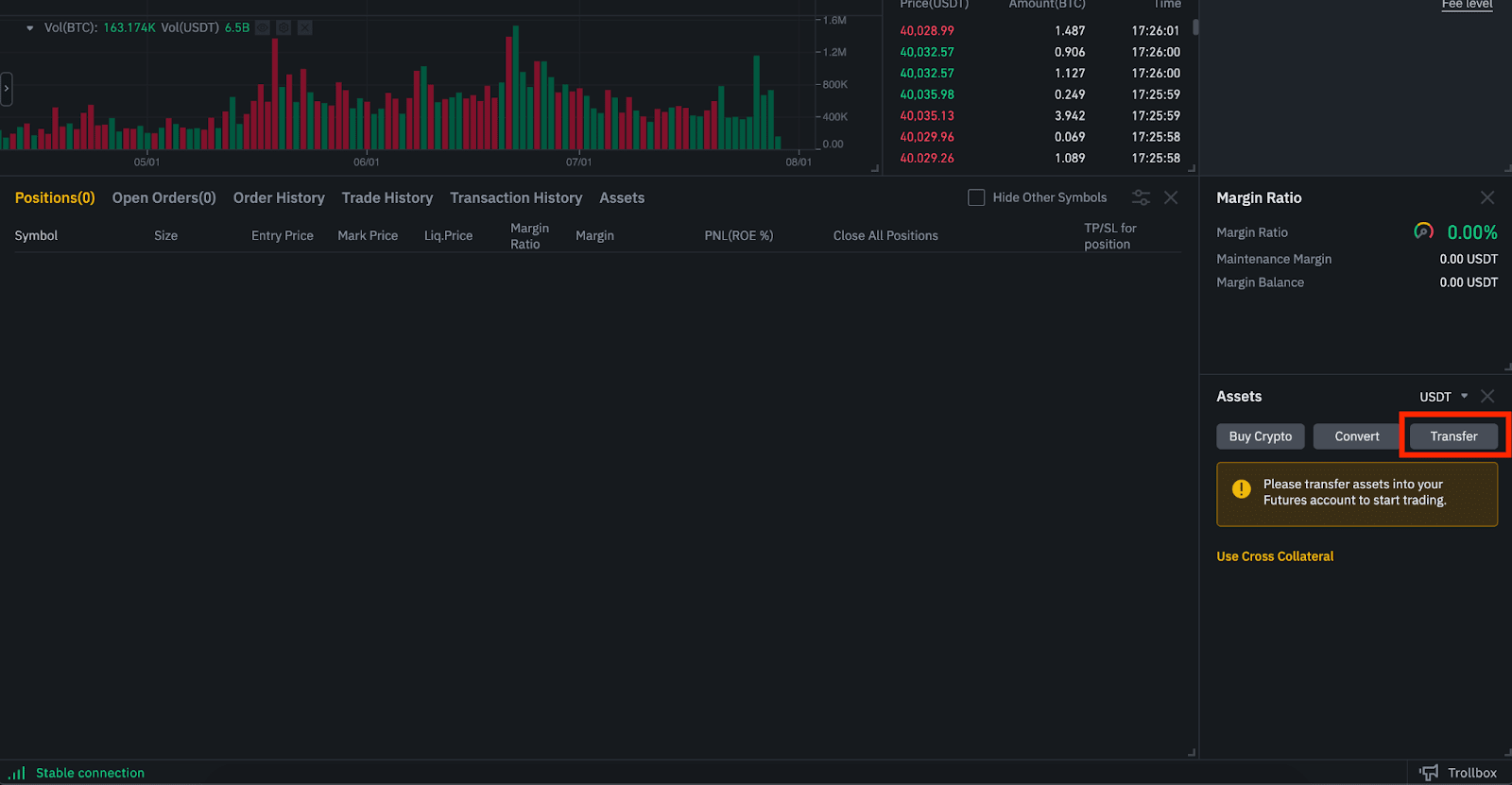
On the Binance Futures trading interface, scroll to the bottom-right corner until you see the Assets panel.
Click [Transfer] to open the internal transfer popup window.
2. Select the Asset and Amount
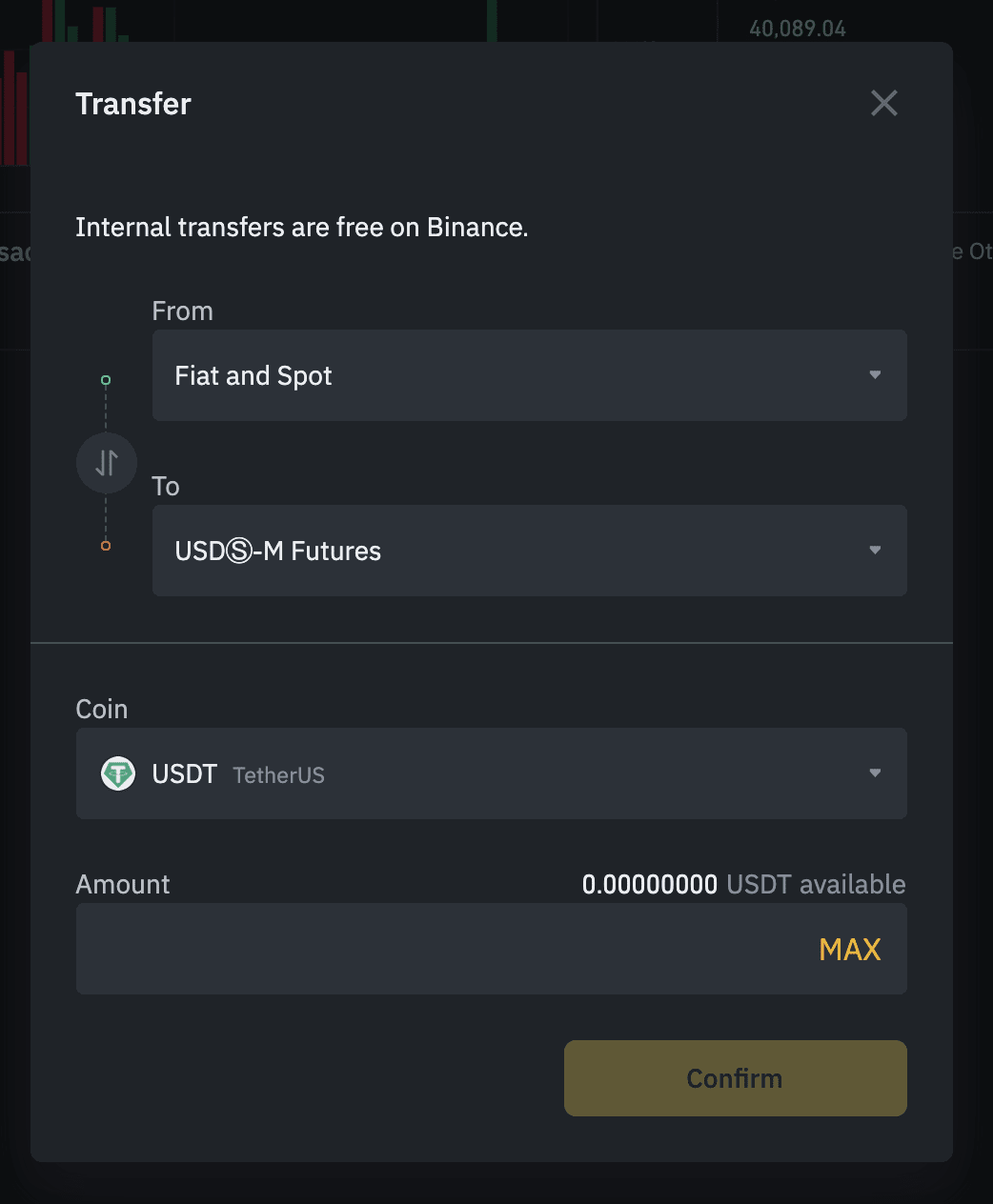
In the transfer window:
Choose the cryptocurrency you want to transfer
(Binance Futures accepts many assets — such as USDT, BTC, ETH, and more — as collateral).Enter the amount you want to move into your Futures Wallet.
Click [Confirm] to complete the transfer.
Transfers between Spot and Futures wallets are instant and fee-free.
3. Check Your Updated Futures Balance
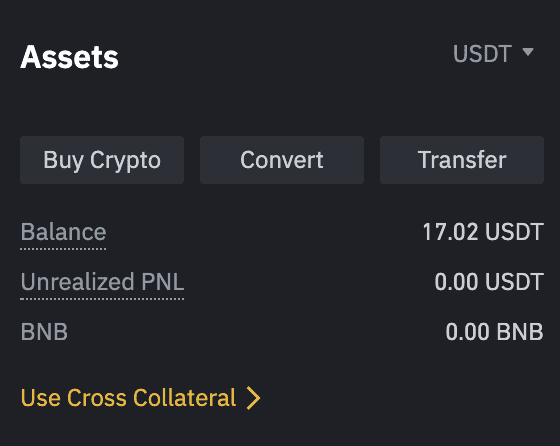
Once the transfer is completed successfully, your new balance will appear under the Assets section of the Futures interface.
You can now use this balance to open long/short positions, adjust margin, or trade futures contracts.
4. Transferring Funds Back to Your Spot Wallet
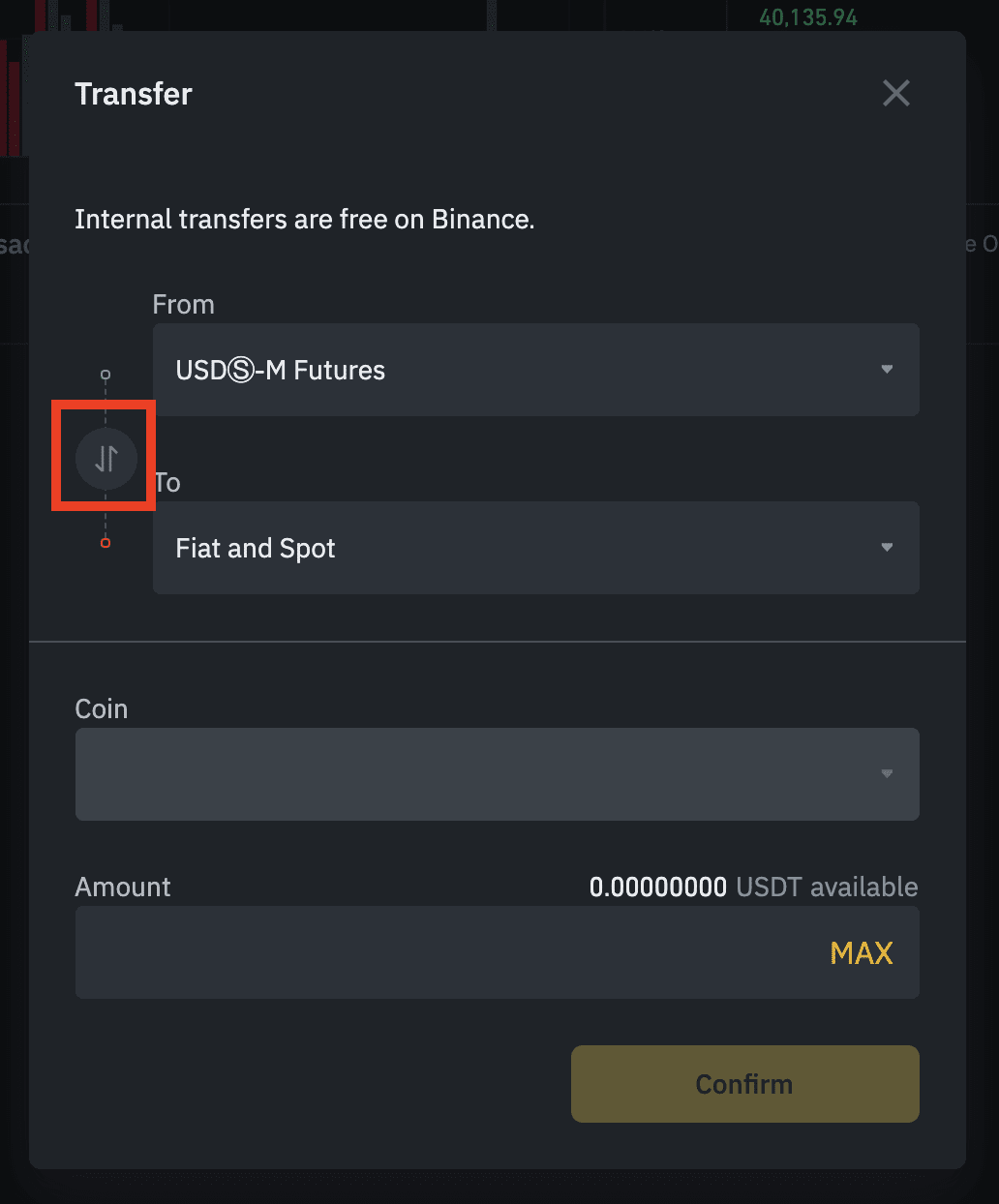
If you want to move funds out of your Futures Wallet:
Click the swap icon to reverse the transfer direction (Futures → Spot).
Enter the amount you wish to withdraw.
Click [Confirm].
Your funds will instantly appear in your Fiat and Spot Wallet.
Inactive Futures Account Clearing Rule
Binance automatically clears funds from inactive Futures accounts in order to optimize wallet management.
Your funds may be automatically transferred back to your Spot Wallet if ALL of the following conditions are met:
No trading activity
No asset transfers
No open positions or open orders
Futures Wallet balance below 1,000 USDT (or equivalent in Multi-Assets mode)
Inactivity lasts 30 days or more
If automatic clearing happens:
Your remaining Futures balance is moved to your Spot Wallet.
How to reactivate the Futures account?
Simply transfer funds from any Binance wallet (Spot, Earn, etc.) back into your Futures Wallet — the account will be reactivated automatically.