
How to Open a Binance Futures Account
platforms. Whether you're a beginner exploring leveraged trading or an experienced investor looking to trade perpetual and quarterly contracts, Binance Futures offers powerful tools, flexible leverage, and deep liquidity

1. Click [Futures] on the Binance homepage
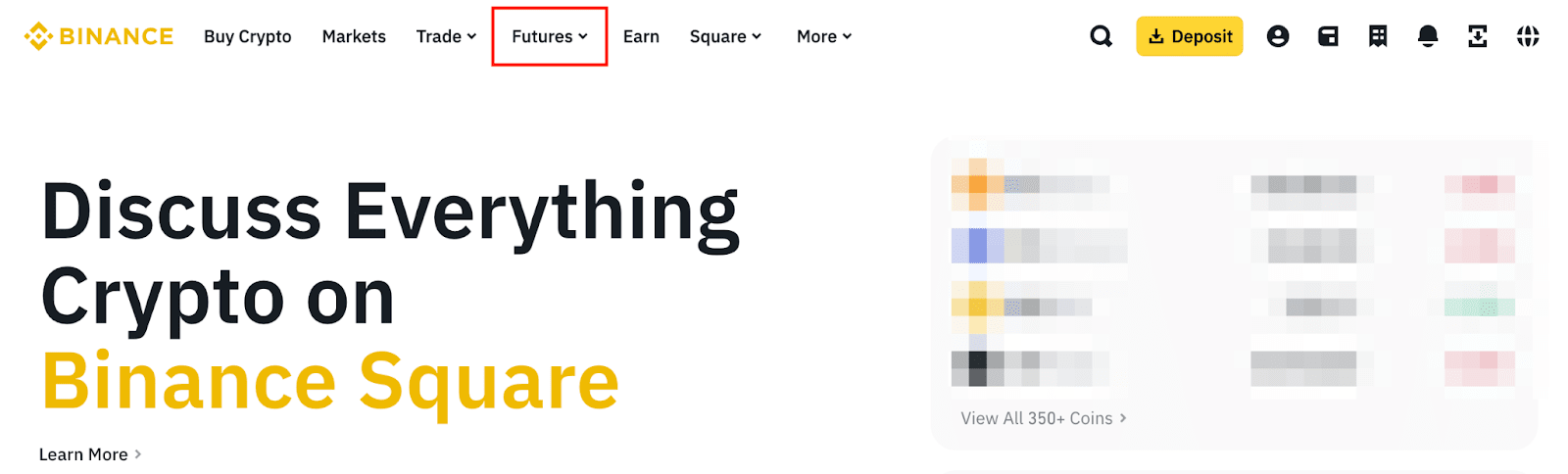
Start by visiting the official Binance website.
On the top menu, look for the “Futures” option—this section takes you directly to the Binance Futures trading interface.
Clicking on this option allows you to preview the Futures dashboard before opening your account.
2. If you already have a Binance account, click [Log In]. If you haven’t registered, click [Register]
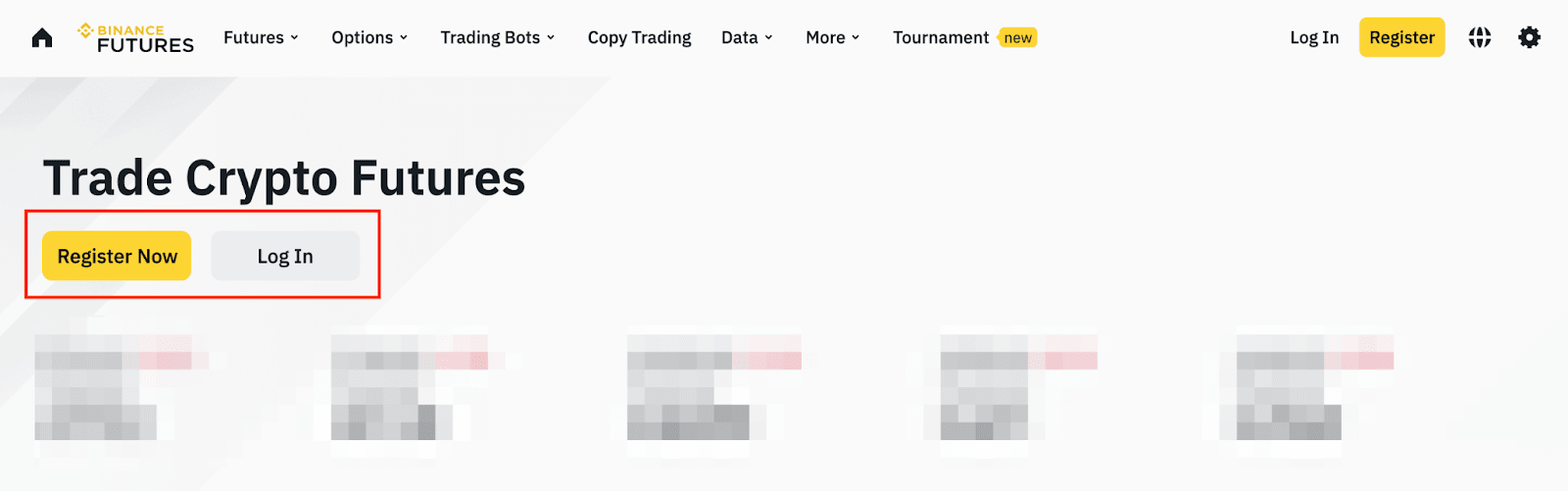
If you're already a Binance user, simply log in with your account details.
If you're new to Binance:
Click “Register”
Enter a valid email or phone number
Create a strong password
Complete the verification code sent to your device
Accept Binance’s Terms of Use
After completing registration, sign in and return to the Futures section.
3. Click [Open Account] to begin activating your Futures account
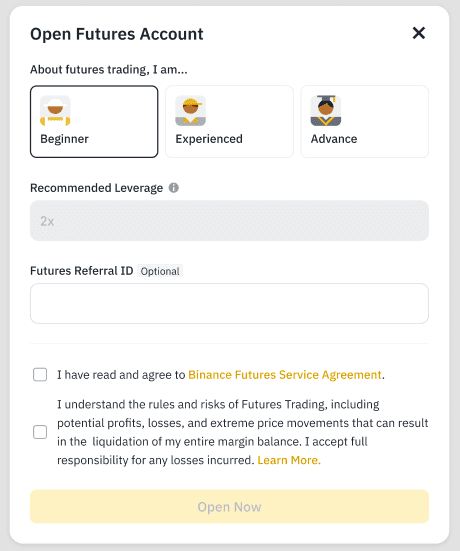
Once logged in, click the “Open Account” button displayed on the Futures dashboard.
A pop-up window will appear titled “Open Futures Account.” This window guides you through several onboarding steps.
In this section, you will:
Select your trading experience level (Beginner, Experienced, or Advanced)
Optionally enter a Futures referral code
Read and accept the Futures Service Agreement and the Risk Acknowledgment
Click “Open Now” to confirm activation
Binance automatically assigns a default leverage level depending on your selected experience:
Beginner: 2×
Experienced: 5×
Advanced: 20×
If you prefer to choose your own leverage settings during account activation, select the Advanced option to unlock custom leverage control.
4. Your Futures account is now created — fund it to start trading
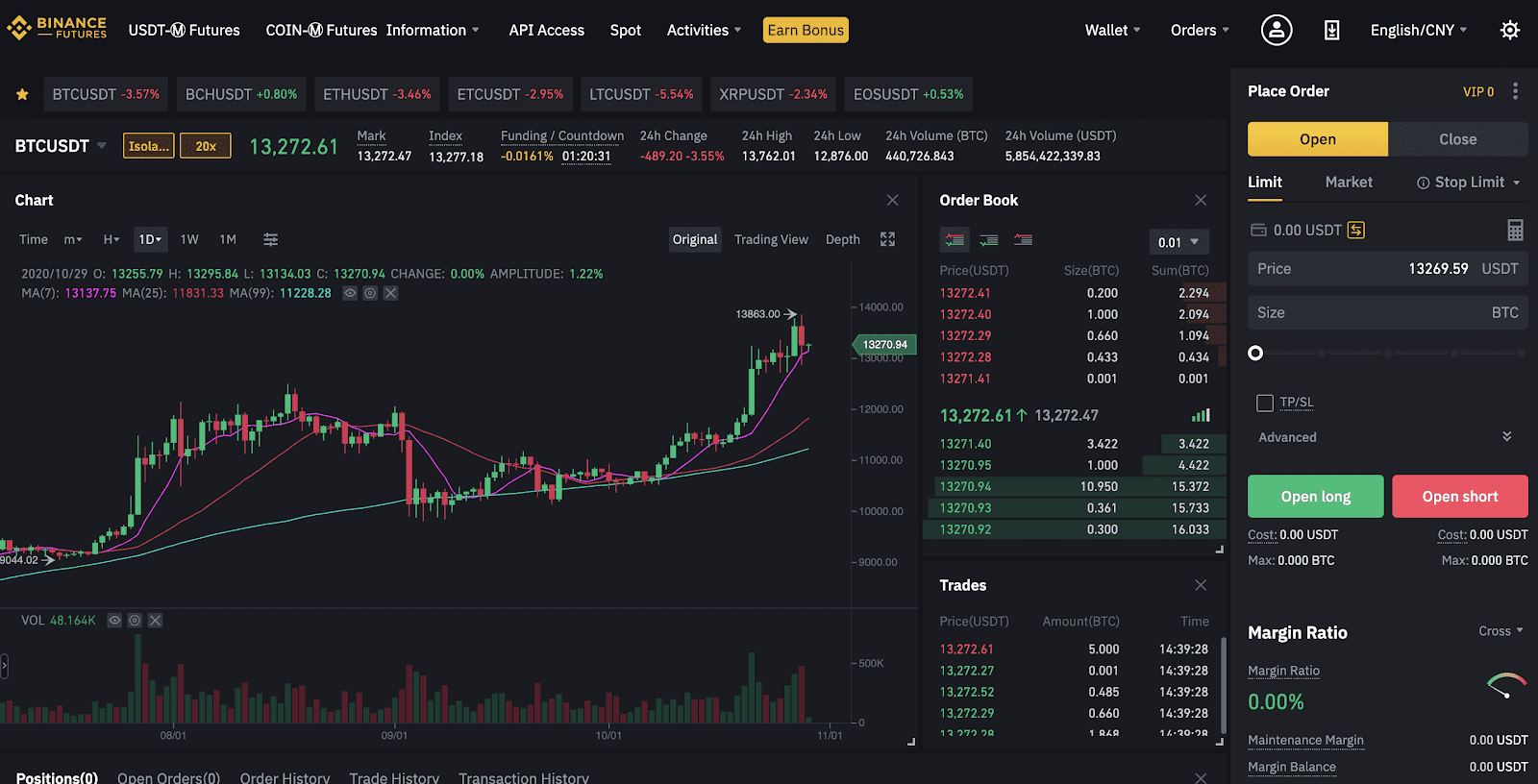
Once the activation is complete, your Futures wallet is ready.
Before opening any positions, you need to transfer assets (such as USDT) from your Spot Wallet to your Futures Wallet.
After funding your account, you can:
Open Long or Short positions
Adjust leverage based on your strategy
Explore perpetual and quarterly contracts
Use professional tools like Stop-Loss, Take-Profit, and margin settings